Designing custom uniforms used to require long email chains, back-and-forth mockups, and multiple revisions before a team ever saw the final product.
Today, Challenger Teamwear has simplified that process with its online Custom Uniform Builder, giving coaches, directors, and clubs the ability to design professional-quality uniforms in minutes.
Whether you’re creating a brand-new look for your club or updating an existing kit, the Custom Uniform Builder makes it easy to experiment with colors, patterns, and lettering before placing an order.
This guide walks you through how to use the builder step by step, plus gives you expert tips to design like a pro.
Step 1: Select Your Sport
The first step in the design process is choosing the sport you’re designing for. Challenger’s builder supports a wide range of sports, allowing programs to create sport-specific uniforms tailored to gameplay and performance needs.
Start here:
https://gearup.challengerteamwear.com/
From the homepage, you can browse available options and select the category that fits your program.
Each sport includes styles built with the appropriate:
- Fabric performance
- Fit
- Design structure
- Player numbering and lettering layouts
Selecting the right sport ensures your design template matches how the uniform will actually be used on the field or court.
Step 2: Choose Your Jersey Style
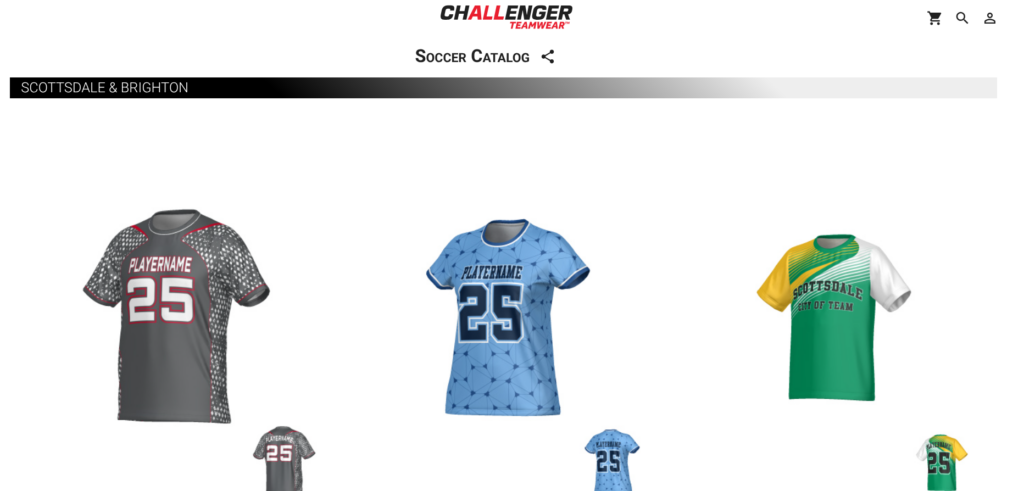
Once you’ve selected your sport, the next step is choosing a jersey style from the available templates.
Each jersey option provides a base design structure, which includes elements like:
- Panel layout
- Sleeve design
- Collar type
- Base pattern options
Example jersey selection:
https://gearup.challengerteamwear.com/detail/store-EC93214/KG09882
Programs typically start with a style that fits their brand identity — whether that’s a clean modern look, bold graphics, or traditional team aesthetics.
The goal at this stage is simply to pick the design that gives you the best starting point.
Step 3: Start Customizing Your Uniform
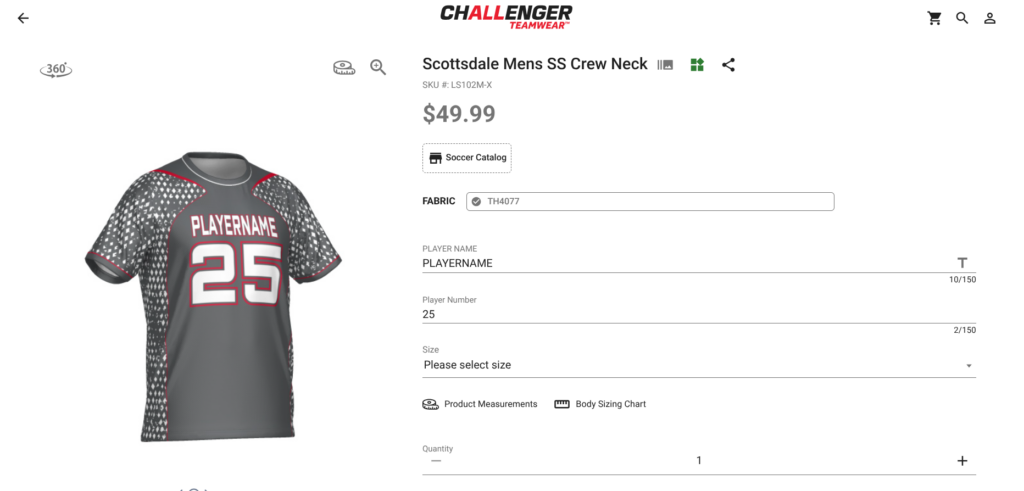
After selecting your jersey, you can begin customizing the uniform.
Inside the builder, you can adjust multiple elements, including:
- Team colors
- Player name
- Player numbers
- Team name text
- Accent colors
The real-time preview lets you immediately see how your changes affect the overall look.
This live preview helps coaches and directors experiment with combinations until the design feels right.
Step 4: Unlock More Design Options with “Design Now”
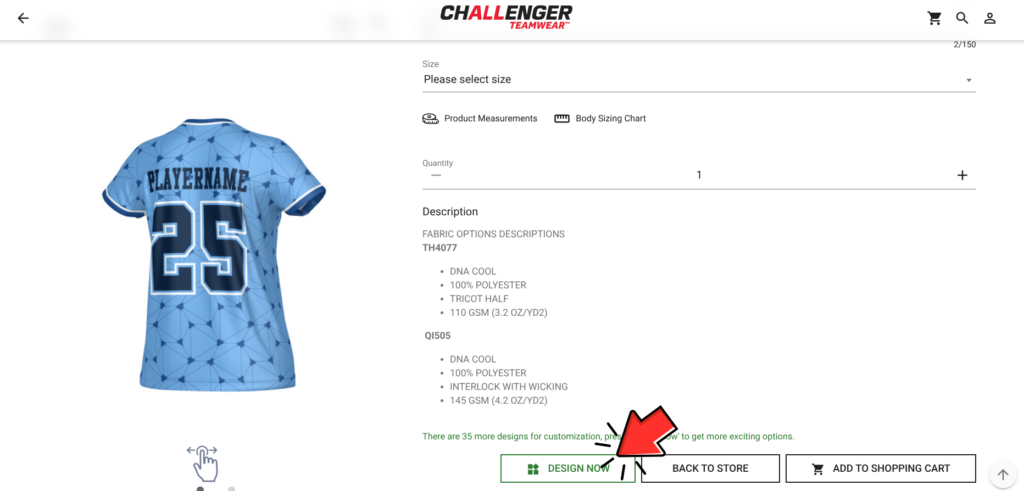
Once you’re comfortable with the basics, you can take your design even further by clicking the “Design Now” button.
This unlocks the full customization interface.
Example customization screen:
https://gearup.challengerteamwear.com/customize/detail-EC93214/KG09882
From here, you can customize nearly every part of the uniform.
Advanced options include:
- Base design patterns
- Background textures
- Front and back graphics
- Sleeve designs
- Collar styles
- Lettering and numbering options
- Logo placement
This level of control allows clubs to create uniforms that are completely unique to their program.
Expert Tips for Designing Like a Pro
Once you understand the basics of the builder, a few simple strategies can elevate your designs.
1. Start With Your Primary Team Colors
Build your design around your club’s primary color first. Once that base is established, you can add secondary accents and contrast elements.
Keeping your color palette focused usually leads to a cleaner final look.
2. Prioritize Readability
Player numbers and names should always be easy to read from a distance. High contrast between numbers and jersey backgrounds helps referees, coaches, and spectators identify players quickly.
3. Use Patterns Strategically
Patterns and textures can add energy to a uniform, but they work best when balanced with solid color areas.
A good rule of thumb:
Let one element stand out — not everything at once.
4. Keep Future Seasons in Mind
Many clubs use the same uniform style for multiple seasons. Choosing a timeless design helps simplify reorders and keeps your club looking consistent year after year.
5. Share Designs With Your Staff
Before finalizing a design, share the preview with:
- Coaches
- Club directors
- Team leadership
Getting quick feedback early helps avoid revisions later.
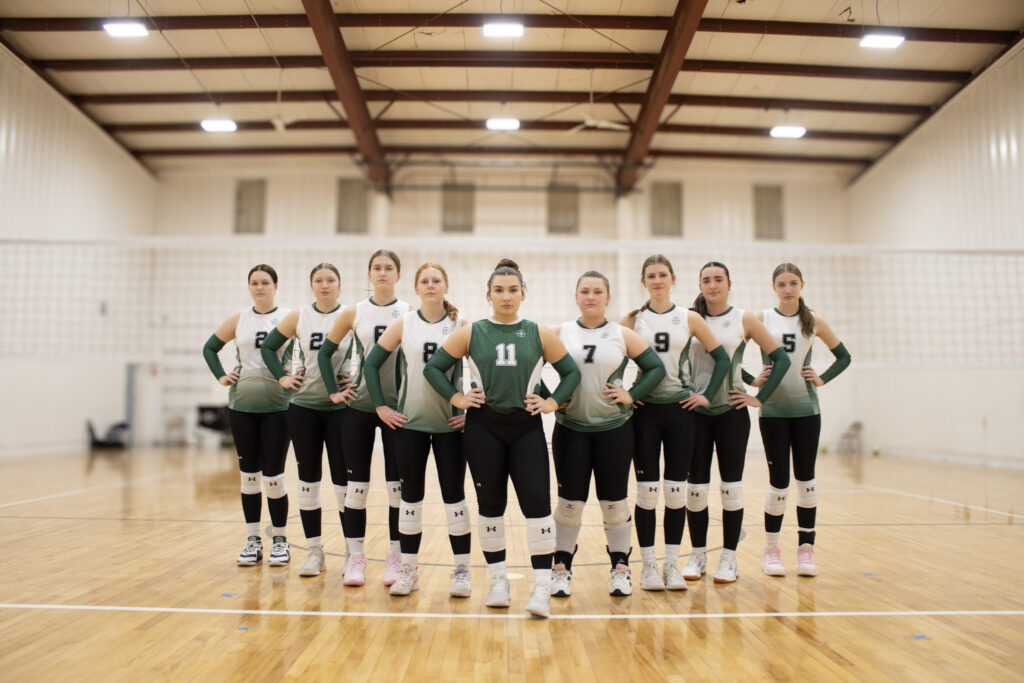
Why Clubs Love the Challenger Uniform Builder
The Uniform Builder is designed specifically for youth sports programs that want flexibility without complexity.
Clubs appreciate that it allows them to:
- Visualize designs instantly
- Experiment with multiple concepts
- Maintain brand consistency
- Finalize uniforms faster
Instead of waiting days for mockups, programs can create professional-quality designs in minutes.
Start Designing Your Team’s Next Uniform
Whether you’re launching a new program or refreshing your club’s look for the upcoming season, the Challenger Uniform Builder gives you everything you need to design confidently.
Start building your next uniform today:
https://gearup.challengerteamwear.com/